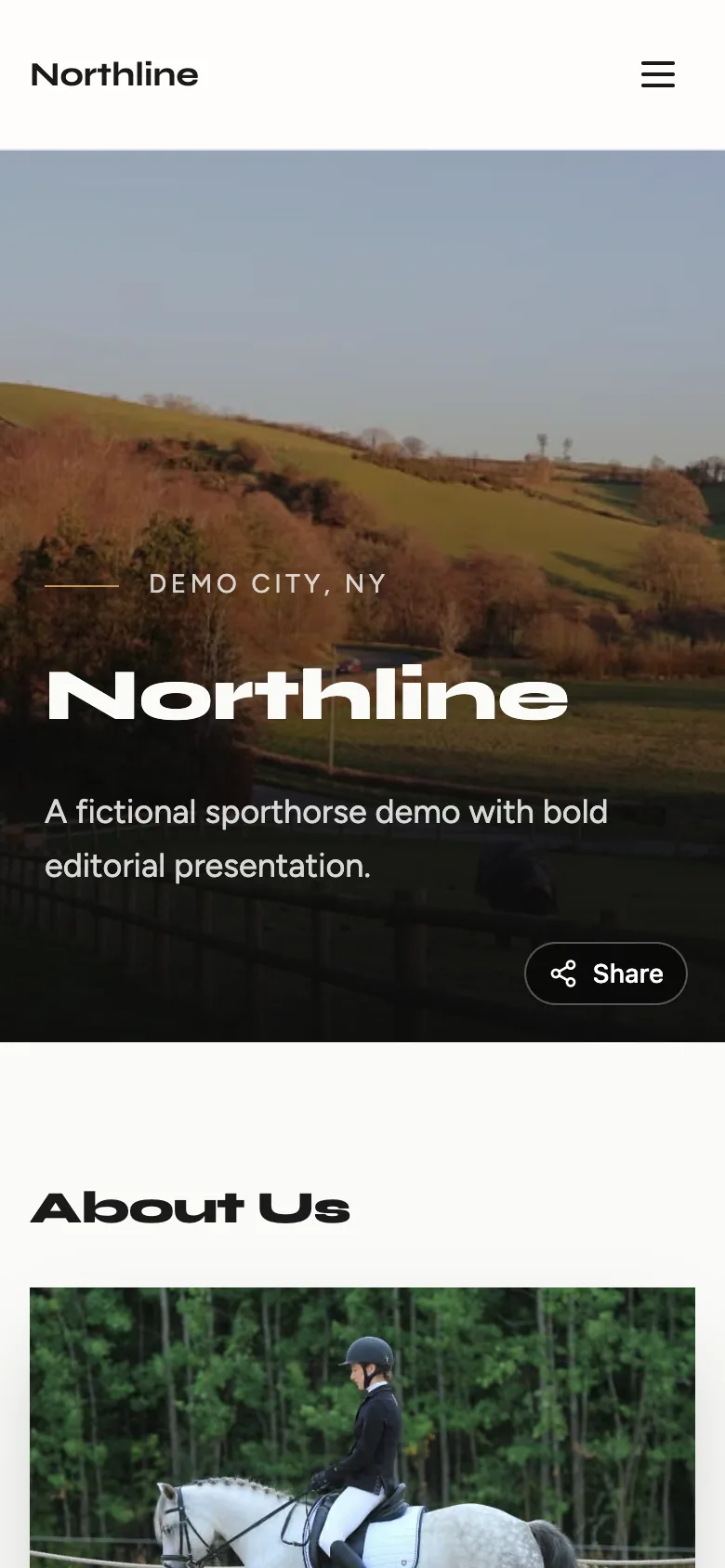
Fill in your services, photos, hours, and contact details. BarnLinking turns them into a finished website that works on phones, tablets, and computers, at a free yourbarn.barnlinking.com address.
A friend's recommendation, a Google search, or a flyer at the feed store usually ends the same way: someone opens your website. Here is what sends them to the next barn.
Word of mouth gets looked up
A friend recommends you, and the first thing the rider does is search your name. Finding nothing, or a page from years ago, makes the recommendation weaker.
With BarnLinking
Put one clear link on your Google listing and Facebook page, so whoever looks you up sees your services, photos, and how to reach you.
No website, or a dead link
Your Google listing has no link, or the old domain expired and shows an error, so the barn looks closed.
With BarnLinking
Publish a real site in one sitting at yourbarn.barnlinking.com, with no domain or hosting bill to renew.
Built years ago, never updated
The design looks old, the photos show horses that left long ago, and the services list no longer matches what you offer.
With BarnLinking
Start from a current template, and change any text, photo, or service yourself whenever something changes.
Only the web person can change it
Every small edit means emailing whoever built the site and waiting, so the site falls further behind.
With BarnLinking
You edit everything on your site through short forms, on a phone or a computer, and it updates as soon as you save.
Hard for search engines to read
Many homemade or older sites have no proper page titles, descriptions, or business details, so search engines have little to go on.
With BarnLinking
Every site comes with the page titles, descriptions, structured business details, and sitemap that search engines read.
Breaks on some screens
Text is tiny on a phone, the menu overlaps on a tablet, or the phone number can't be tapped.
With BarnLinking
Every template adapts to phones, tablets, and computers, and your number is one tap to call.
Demo sites
Different looks, one set of forms.
Each demo is a fictional business built with the same forms you fill in. Open one on your phone to see how it reads.
Basic sites use the Clearfield look. Pro unlocks every other look and more color styles. You can try any of them with your own content before you choose.
See it work
If you can write a Facebook post, you can build this.
These are real recordings of the BarnLinking editor. You type into short forms, press Save, and your site updates. There is no layout to arrange and nothing to break.
barnlinking.com/dashboard/websiteExample barn
Try every look on your own words and photos before you switch.
Example barn
Change your headline from your phone, then see it the way visitors will.
What you need to publish
Your barn or business name
Your city and state
What you offer, picked from a list
A phone number or email
Photos, your story, and hours make the site better. They can come later.
How it works
Live the same day.
01
Add your details
Business name, services, photos, hours, and how to reach you. Skip anything you don't have yet and add it later.
02
Pick a look
Choose a template and a color style. The layout, spacing, and phone version are already done.
03
Share your link
Put yourbarn.barnlinking.com on your Google Business Profile, your Facebook page, and your flyers.
You can also download a one-page PDF of your business, with a QR code that opens your site, to print or hand out.
Plans
Free to start. Pro when you want it fully yours.
Basic
Free
A real website, online in minutes. No card needed.
Your own free barnlinking.com web address
Guided setup: just fill in your details
Works on phones, tablets, and computers from day one
No. You fill in short forms about your business, and BarnLinking handles the layout, type, colors, and phone version.
I already have a Facebook page. Isn't that enough?
Keep it. Facebook is good for news and photos, but prices, hours, and services sink under newer posts, and some riders don't use Facebook at all. A website keeps those details on one page anyone can open, and the two can link to each other.
How long does it take to build a horse business website?
You can publish a first version in one sitting: add your details, pick a look, and publish. Add photos and more detail whenever you like.
Is it really free?
Yes. Basic is free with no card: one website at yourbarn.barnlinking.com in the Clearfield look, all the core sections, and up to 2 horse listings. Pro starts at $15/month billed yearly ($19 month to month) after a free first month, and adds your own domain, every other look, more sections, and no BarnLinking footer.
Will my site work on phones and tablets?
Yes. Every template adapts to phones, tablets, and computers, with text sized for each screen and a phone number visitors can tap to call. You can check the phone version in the editor preview before you publish.
Can I update the website myself later?
Yes, anytime, from your phone or a computer. Change your hours, swap photos, or add a service yourself. The site updates when you save.
Someone else built our old website and nobody can update it. Can we switch?
Yes. Start a BarnLinking site with the details you have, publish it, and point your Google listing and social profiles at the new link. If you still control your old domain, Pro can connect it, so the address people already know opens the new site.
Can I use my own domain name?
Yes, on Pro. Start on the free barnlinking.com address, then connect a domain you own. BarnLinking guides you through the setup.
What happens if I stop paying for Pro?
Your account goes back to free Basic when the period you paid for ends. Your saved content is not deleted, and Basic's limits apply again.
How is BarnLinking different from Wix or Squarespace?
General builders hand you a blank canvas and ask you to design every page. BarnLinking starts from what a horse business needs, so you fill in forms for services, photos, hours, location, and contact instead of arranging layouts. The same account also lists horses for sale or lease, boarding openings, and services taking new clients.
Can I also list horses for sale or post boarding openings?
Yes. The same account lists horses for sale or lease in the Horse Market, posts boarding openings, and lists services taking new clients. Boarding and service listings link back to your website.
Keep reading
Helpful reading before you go online
Practical guides on building a horse business website, choosing a builder, and why a page beats a feed.